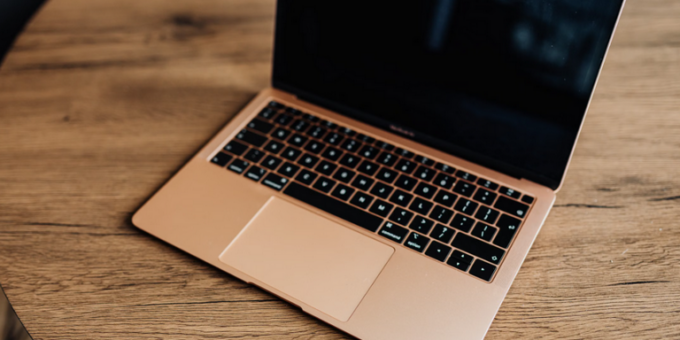
The MacBook Buying Guide 2026 is your complete resource for choosing the right Apple laptop based on performance, budget, and real-world needs. Whether you are a student, professional, or content creator, understanding specs, pricing, and deal strategies will help you make a smarter investment.
In today’s digital world, a MacBook is not just a laptop—it is a powerful tool for productivity, creativity, and even building an online business. From coding and editing to running a dropshipping business or managing affiliate marketing campaigns, choosing the right MacBook matters more than ever.
Why Choose a MacBook in 2026?
Apple continues to dominate the premium laptop market with its efficient silicon chips, sleek design, and optimized software ecosystem. MacBooks are known for their reliability, long battery life, and seamless integration with other Apple devices.
In 2026, MacBooks are powered by advanced Apple Silicon chips that deliver faster speeds and better energy efficiency. This makes them ideal for professionals who rely on multitasking or creatives working with high-resolution media.
Key Advantages
Performance: Apple chips outperform many competitors in real-world tasks.
Battery Life: Up to 20+ hours on a single charge.
Build Quality: Premium aluminum design that lasts for years.
Resale Value: MacBooks retain value better than most laptops.
MacBook Models Available in 2026
Before buying, it is important to understand the main MacBook categories available.
MacBook Air
The MacBook Air is lightweight, portable, and perfect for everyday users. It is ideal for students, freelancers, and beginners entering the world of passive income through blogging or freelancing.
MacBook Pro (14-inch & 16-inch)
The MacBook Pro is designed for professionals who need high performance. It is perfect for video editors, developers, and entrepreneurs running scalable online business operations.
Understanding MacBook Specs
When following this MacBook Buying Guide 2026, understanding specifications is crucial. Let’s break down the most important ones.
1. Processor (Chip)
Apple Silicon chips like M3, M4, and newer variants dominate the lineup. Choose based on workload:
Basic Use: M3 chip
Professional Work: M4 or Pro variants
Heavy Tasks: Max or Ultra chips
2. RAM (Memory)
RAM affects multitasking performance:
8GB: Light users
16GB: Recommended for most users
32GB+: Advanced workflows like video editing
3. Storage
MacBooks use fast SSD storage:
256GB: Basic usage
512GB–1TB: Ideal for most users
2TB+: Professionals handling large files
4. Display
Retina displays offer stunning visuals. Pro models include ProMotion technology for smoother performance.
5. Battery Life
MacBooks lead the industry with long-lasting battery performance, making them perfect for remote work and travel.
MacBook Prices in 2026
Pricing varies depending on configuration and model. Below is a general breakdown:
MacBook Air
Starting around $999 to $1,499 depending on specs.
MacBook Pro
Starts from $1,599 and can go beyond $3,000 for high-end configurations.
While MacBooks are premium devices, they are often worth the investment due to longevity and performance.
Best MacBook for Different Users
Students
MacBook Air with 8GB or 16GB RAM is sufficient for studies, browsing, and light productivity tasks.
Freelancers & Bloggers
If you are building passive income streams such as blogging or affiliate marketing, a MacBook Air or base Pro model works perfectly.
Entrepreneurs
Running an online business or managing a dropshipping business requires multitasking. A MacBook Pro with 16GB RAM is recommended.
Content Creators
For video editing, graphic design, or music production, choose a MacBook Pro with higher RAM and storage.
Best Time to Buy a MacBook
Timing your purchase can help you save significantly. Look for deals during:
Black Friday & Cyber Monday
Back-to-School Sales
Holiday Discounts
You can also check Apple’s official website for refurbished deals:
Where to Find the Best Deals
To get the best value, compare prices across multiple platforms:
Always look for student discounts, bundle offers, and cashback deals.
MacBook vs Other Laptops
Compared to Windows laptops, MacBooks offer better optimization and long-term reliability. While Windows machines may provide more customization, MacBooks excel in performance consistency.
If you are building scalable income streams like affiliate vs dropshipping comparisons or managing multiple revenue channels, MacBooks provide a smoother workflow.
Tips Before Buying a MacBook
1. Define Your Needs
Do not overspend on features you do not need. Choose based on your workload.
2. Upgrade Smartly
Invest in RAM and storage upgrades since they are not expandable later.
3. Check Compatibility
Ensure your required software works on macOS.
4. Consider Accessories
You may need adapters, external storage, or a docking station.
Is a MacBook Worth It in 2026?
Yes, MacBooks remain one of the best laptop investments in 2026. Their durability, performance, and ecosystem make them ideal for both personal and professional use.
Whether you are starting an online business, building passive income, or scaling your affiliate marketing strategy, a MacBook provides the tools you need to succeed.
Final Thoughts
This MacBook Buying Guide 2026 highlights everything you need to know before making a purchase. From understanding specs to finding the best deals, the right MacBook can significantly boost your productivity and efficiency.
Take your time, compare options, and choose a model that fits your needs and budget. A well-chosen MacBook is not just a device—it is a long-term investment in your success.
